商品描述
Video Copilot MOTION DESIGN BUNDLE Overview
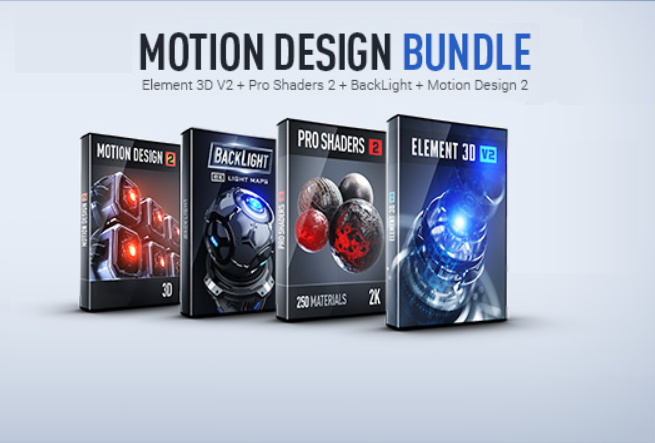
Video Copilot's Motion Design Bundle is a 3D VFX solution built around the Element 3D V2 After Effects Plugin.
Included with this bundle are the Pro Shaders 2 and BackLight upgrades which provide additional physical
material textures and 8K light maps respectively. Also included is the Motion Design 2 collection of high-tech
and industrial 3D models that are fully compatible with Element 3D.
Video Copilot's Element 3D V2 Plugin features a redesigned interface and an updated GPU accelerated processing
back end to improve render times and allows many operations to be viewed in near real-time. OBJ and C4D files
can be imported along with their textures and manipulated inside Adobe After Effects. Within the plugin, complex
3D objects can be broken down into their core components and are able to be adjusted or animated individually.
To make the workflow as efficient as possible, Video Copilot has simulated reflections and shadows that don't
require ray-tracing. Without ray-tracing, rendering detailed 3D models is less processor intensive, and near
real-time renders can be achieved without an expensive GPU.
Element 3D v2 is designed for use in Adobe After Effects CS5 or newer on either PC or Mac and is compatible
with 3D models created in OBJ and C4D file formats.
Physical Shader System
Easily create more realistic materials based on real-world object properties. Modeled materials can be
dragged and dropped onto objects to model realistic surfaces. A new "glossiness" adjustment allows for a
consistent change in the model's reflectivity between its specular highlights and the reflected background
environment.
Dynamic Reflection Maps
Element 3D can cleverly create reflections in 3D objects without processor-intensive ray-tracing. It does this
by creating a spherical map from the center of the object outward, and anything captured in that map is
reflected on the surface of that object. This feature enables near real-time rendering of reflections.
Ambient Occlusion Light Influence
Creates realistic lighting gradients in shadows by reducing ambient occlusion in relation to the luminance
values of an area.
Ray-Traced Shadows and Ambient Occlusion
For more accuracy and realism, you can use ray-traced shadows and ambient occlusion instead of the standard
real-time settings. The ray-tracing is GPU accelerated through OpenCL in order to speed up render times.
Auxiliary Animation
Animate specific components of your 3D models by assigning those parts to one of ten available animation
channels. You can use this to create simple moving rigs within After Effects. You can assign multiple parts to
a single channel to have the parts move in unison.
Sub-Surface Scattering
Allows light to penetrate the surface of your object to have it exit at different, irregular points. This creates a
look that's ideal for rendering translucent materials such as skin, leaves, and marble.
Automatically Import MTL Files
If an OBJ file that you want to load into Element 3D has an MTL (material) file associated with it, you can
choose to import that file to retain relevant textures throughout your workflow.
Video Copilot's Pro Shaders 2 adds a library of over 300 physical textures to Elements 3D V2. The physical
textures in Pro Shaders 2 are modeled after 12 real material categories like metal, concrete, wood, glass,
stone, and plaster. Textures are fully tiled to seamlessly integrate into your models.
Upgrade your Video Copilot Element 3D Plugin with Backlight 8K Light Maps. Backlight adds 50 environment
maps and 35 photographic light maps and arrays to the existing environments and maps within Element 3D
V2, giving you more versatility when creating 3D content.
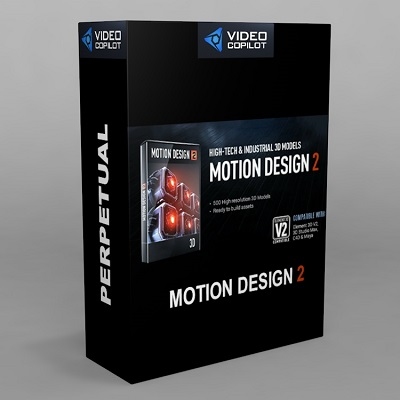
Add 500 high-tech and industrial themed 3D models to your Elements 3D V2 workflow with Video Copilot's
Motion Design 2. The assets contained within this package are ready to build and integrate into your
production with all of the processing efficiency provided by Element 3D V2.
Key Features
- Compatible with Adobe After Effects
- 3D VFX with Element 3D V2
- Redesigned Streamlined Interface
- Realistic Surface Modeling Library
- 8K Light Maps Package Included
- High-Tech/Industrial 3D Models Included